
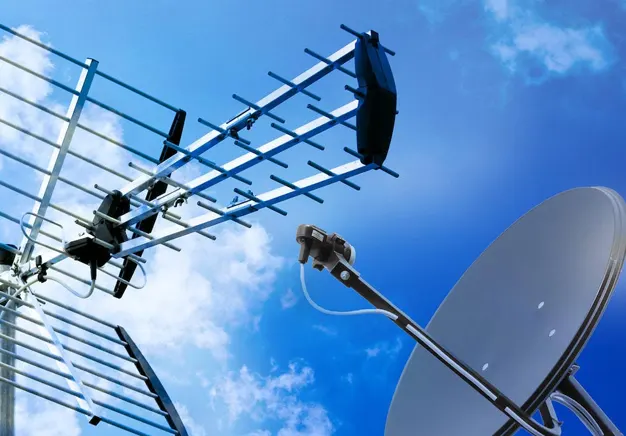
Connecting a TV aerial or satellite system includes wiring, equipment setup, and signal tuning. The process links the aerial or satellite dish to the television through cables and receivers. A TV aerial connection uses a coaxial cable to deliver terrestrial signals directly to the TV or set-top box. A satellite system connection requires a dish, LNB, receiver, and cable to decode satellite signals. Both systems require correct port connections, secure fittings, and proper configuration through the TV menu. Signal tuning scans and stores available channels after setup. A complete connection ensures stable signal delivery and consistent picture quality across aerial and satellite systems.
Understanding TV Aerial and Satellite Connections
TV aerial and satellite connections follow a defined signal path from source to display. The signal flows from the aerial or satellite dish through a coaxial cable into the TV or receiver. A TV aerial connects through the RF input, which carries terrestrial broadcast signals. A satellite system connects through the LNB input, where the receiver processes signals from the dish. Each connection point must be secure to prevent signal loss and interference. Incorrect wiring reduces signal strength and causes pixelation or no signal errors. A structured setup, similar to a WiFi install, ensures stable transmission and consistent channel reception.
What you need to connect your TV system
Connecting a TV system requires specific components that ensure stable signal transfer and proper setup. Each element supports signal flow from the aerial or satellite dish to the display device. The correct selection of TV aerial accessories improves signal strength, reduces interference, and ensures long-term performance.
- Cable: A coaxial cable carries the signal from the aerial or satellite dish to the TV or receiver. Satellite systems use higher-grade coaxial cables for stable transmission.
- Connectors: F connectors are used for satellite connections, while RF connectors are used for aerial inputs. Secure connectors prevent signal loss and interference.
- Devices: A TV with a built-in tuner receives aerial signals directly. A satellite receiver decodes signals from the dish, and the LNB captures and converts the signal.
- Splitters / Amplifiers: A splitter sends the signal to multiple TVs. An amplifier boosts weak signals, while a distribution amplifier maintains signal quality across several rooms.
How to connect a TV Aerial to your TV
Connecting a TV aerial to a TV is simple compared to satellite systems. The aerial connects directly to the TV without a receiver if the TV includes a built-in tuner. Compatibility depends on the RF input, which receives terrestrial signals like Freeview channels.
The coaxial cable from the aerial plugs into the RF input port on the TV. After the connection, you run a channel scan through the TV settings to store available channels. A proper connection ensures stable signal reception and clear picture quality.
Connecting Directly to a TV
A TV aerial connects directly to the TV through the RF input for simple signal reception. The process involves inserting the aerial cable, securing the connection, and selecting the correct input source on the TV. This setup supports clear reception when the signal is stable.
- Plug the aerial into the RF input: Insert the coaxial cable into the TV’s RF or antenna input port. This allows the TV to receive the broadcast signal directly.
- Secure connection: Tighten the connector to ensure a firm fit and prevent signal loss or interference.
- Select TV input: Use the TV remote to choose the correct source, then scan for channels to complete the setup.
Connecting via a Set-Top Box
A set-top box connects the aerial to the TV through a structured signal path. The signal flows from the aerial into the box, where it is decoded and then sent to the TV through an HDMI cable. This connection improves picture and sound quality on compatible TVs. A set-top box is required for older TVs without a built-in digital tuner. It is also used when extra features like recording, channel guides, or advanced signal control are needed.
Tuning Channels after Connection
Tuning channels is required after completing the TV aerial or set-top box connection. The TV detects available signals and stores digital channels in its memory. Start by opening the TV settings menu and selecting the auto-tune or channel scan option. The TV then scans all frequencies to find active broadcasts. Signal detection identifies channels with a stable signal and adds them to the channel list. A complete scan ensures access to all available channels with correct picture and sound quality.
How to connect a Satellite Dish to Your TV
Connecting a satellite dish to a TV involves a more technical setup than an aerial system. The dish receives signals from satellites and sends them through a coaxial cable to a satellite receiver. The receiver decodes the signal and delivers it to the TV, usually via an HDMI connection. This setup requires precise alignment of the dish and secure connections at every point to maintain signal quality. A satellite receiver is essential, as most TVs cannot process satellite signals directly. A correctly installed system ensures stable viewing and supports advanced features. For complex setups, such as multi-room installations, professional services like commercial TV aerial and satellite systems provide reliable installation and signal optimisation.
Connecting Dish to Satellite Receiver
Connecting the dish to a satellite receiver requires a direct and secure signal path. The LNB on the dish sends the signal through a coaxial cable to the receiver, where it is processed for viewing. Proper connections ensure a stable signal input and clear reception.
- LNB to receiver via coaxial cable: Connect the LNB on the dish directly to the receiver using a coaxial cable with secure F connectors.
- Tighten F-connectors firmly: Ensure all F-connectors are securely tightened at both ends to maintain a stable signal connection.
- Avoid signal loss from loose fittings: Loose connections reduce signal strength and cause pixelation, freezing, or complete loss of signal.
Connecting the Receiver to the TV
The satellite receiver connects to the TV to display processed signals clearly. The connection is usually made using an HDMI cable, which carries both audio and video in high quality. After connecting, the TV must be set to the correct input source to view the signal.
- HDMI cable setup: Connect one end of the HDMI cable to the receiver and the other to the TV’s HDMI port. This ensures a clear picture and sound transmission.
- Select the correct input source: Use the TV remote to choose the correct HDMI input, then check the display for a stable signal and picture output.
Setting Up Satellite Channels
Setting up satellite channels completes the installation process after connecting the dish and receiver. The system searches for available broadcasts and stores them in the channel list. This step ensures access to all available satellite channels with proper signal detection.
- Initial setup process: Turn on the receiver and follow the on-screen setup menu. Select language, region, and satellite type, such as Freesat, if required.
- Channel scanning: Start the signal scan to detect available channels. The receiver searches frequencies and activates all channels with a stable broadcast signal.
Connecting Multiple TVs to One Aerial or Satellite System
Connecting multiple TVs to one aerial or satellite system involves distributing a single signal across different rooms. A distribution system uses splitters or amplifiers to send the signal from one aerial or dish to several TVs. Each connection must be correctly balanced to maintain stable reception on all devices. However, signal loss can occur when the signal is divided between multiple points. Weak cables, poor connectors, or too many splits reduce signal strength and cause pixelation or interruptions. A properly designed system ensures consistent performance across all TVs, often achieved through professional residential TV aerial and satellite system installations.
Using Splitters for TV Aerials
A splitter divides a single aerial signal into multiple outputs for several TVs. The device connects to the main coaxial cable and distributes the signal through separate cables to each TV. Splitters are commonly used for setups with two to four TVs in a single property. Each split reduces signal strength, which can affect picture quality if the signal is already weak. Proper cable quality and correct installation reduce signal loss and maintain stable reception across all connected TVs.
Using Distribution Amplifiers
A distribution amplifier boosts the TV signal to maintain strength across multiple connections. The device increases signal power before it is split, which prevents signal drop and maintains picture quality. It is required when the original signal is weak or when the system connects several TVs. The amplifier is placed between the aerial and the splitter, or at the main entry point of the signal. Correct placement ensures balanced signal distribution and stable reception across all connected TVs.
Multi-Room Satellite Setup
A multi-room satellite setup distributes satellite signals to multiple TVs using specialised components. The system uses a multi-output LNB or a multiswitch to send signals from the dish to different receivers. Each output provides an independent signal path, which allows separate channel viewing on each TV. This setup is more complex than aerial systems because it requires precise configuration of LNB outputs, cable routing, and receiver connections. Proper installation ensures stable signal delivery and consistent performance across all rooms.
Using Signal Boosters and Amplifiers
Signal boosters and amplifiers increase TV signal strength, but they work at different stages. A signal booster strengthens a weak signal close to the TV, while an amplifier boosts the signal at the source before distribution. Boosters are used when a single TV has poor reception. Amplifiers are used when the signal is split across multiple TVs or when the incoming signal is weak.
The placement of each device affects performance. A booster is installed near the TV or at the end of the cable run. An amplifier is installed near the aerial or at the main signal entry point, before any splitter. Correct selection and placement ensure stable signal strength, reduced interference, and consistent picture quality across the system.
Auto vs Manual Tuning
Auto-tuning and manual tuning are methods used to set up TV channels after connection. Auto-tuning is the default process, where the TV or receiver scans all frequencies and stores available channels automatically. It is used for quick setup and standard installations. Manual tuning is an advanced method, where specific frequencies are entered to find channels.
Manual tuning is useful when channels are missing, signals are weak, or interference affects reception. It allows precise control over signal setup and helps target the correct broadcast frequencies. Proper tuning ensures accurate channel storage and stable signal performance.
Cable Quality and Connector Importance
Cable quality and connectors directly affect TV signal strength and stability. Poor-quality coaxial cables cause signal loss and reduce picture clarity. Weak shielding allows external interference, which leads to pixelation and signal drops. Low-grade materials also wear out faster and reduce long-term performance.
High-quality cables use proper shielding to block interference and maintain consistent signal flow. Durable connectors ensure tight and stable connections at every point in the system. Loose or damaged connectors interrupt the signal path and create reception issues. These faults often appear during troubleshooting when signal problems persist despite a correct setup.
When to Call a Professional Installer
You need a professional installer when signal issues continue after the correct setup. No signal, weak reception, or missing channels indicate deeper system faults. Complex setups such as multi-room systems, hidden wiring, or roof-mounted installations require technical access and proper tools. These conditions increase risk and reduce accuracy during DIY installation.
DIY methods fail in these cases because signal testing, alignment, and distribution require precision. Incorrect handling leads to signal loss, interference, and unstable performance. A professional TV aerial and satellite installer uses proper equipment to test signal strength and optimise the system. Contact a professional service to ensure safe installation and consistent signal performance across your TV system.
Frequently Asked Questions
How do I connect a TV aerial to my TV?
You connect a TV aerial to your TV by linking the coaxial cable to the RF input and tuning channels.
Can I connect a TV aerial directly to a smart TV?
Yes, you can connect a TV aerial directly to a smart TV if it has a built-in tuner and RF input.
How do I connect a satellite dish to my TV?
Connect the satellite dish to a receiver using a coaxial cable from the LNB. Then connect the receiver to the TV with an HDMI cable. Select the correct HDMI input and scan channels to complete the setup.
Why is my TV showing “No Signal” after connecting the table?
“No Signal” appears when the TV is not receiving input from the aerial or satellite source. Check that all cables are connected properly and select the correct input source. If the issue continues, run a channel scan or check signal alignment.
How do I connect multiple TVs to one aerial?
You connect multiple TVs to one aerial using a splitter or distribution amplifier. The splitter divides the signal into multiple outputs for each TV, while an amplifier boosts the signal strength before splitting. Each TV is then connected using a separate coaxial cable for stable reception.
Why are no channels found after tuning?
No channels after tuning usually means no signal is reaching the TV or receiver. Check the aerial or satellite cable connection and ensure the correct input source is selected. Also, confirm the aerial or dish is correctly aligned and try tuning again.
Should I use auto-tuning or manual tuning?
Use auto-tuning for standard setup, as it scans and stores all available channels automatically. Use manual tuning only when channels are missing or when you need to enter specific frequencies for precise signal control.