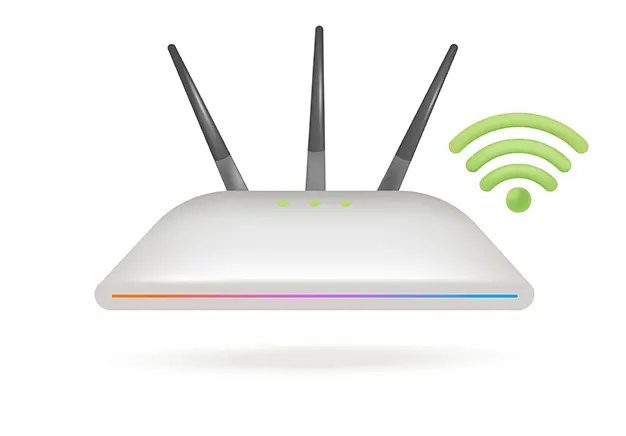
What Is WiFi?
WiFi is a wireless technology using radio frequencies to transmit data without cables. Operating under IEEE 802.11 standards, it creates a Wireless Local Area Network (WLAN). This system relies on specific transmission frequencies and distinct network architectures, both detailed in the next section.
How Wireless Networks Work
The physical mechanism of WiFi architecture relies on two-way radio communication:
- Transmission: A router receives data from a wired internet connection. It translates this binary data into radio waves.
- Reception: An internal antenna transmits these waves across specific frequencies (2.4 GHz or 5 GHz).
- Decoding: A client device intercepts the radio signal via a wireless adapter. It decodes the waves back into digital data.
This process reverses when the device sends data back to the network.
Types of WiFi Networks
WiFi networks are categorised by their deployment environment, scale, and intended user base. The physical architecture remains consistent, but the hardware capability and security protocols change based on the network’s operational demands. The two primary categories driving modern wireless infrastructure are outlined below.
Home WiFi Networks
A residential WiFi setup provides localised coverage for domestic devices. These networks handle low-to-medium traffic across a limited physical area, managing smart home and entertainment systems.
- Hardware: Uses a single wireless router or an ISP-supplied modem-router combo. Larger homes use mesh nodes to eliminate dead zones.
- Coverage Needs: Focuses on penetrating interior walls to ensure consistent connectivity across living spaces.
- Management: Uses a simplified interface with a single SSID and consumer-grade WPA2/WPA3 security protocols.
Business & Commercial WiFi Networks
Unlike home setups, a commercial WiFi network handles massive device densities and strict security demands across large environments.
- Hardware: Deploys multiple standalone Access Points (APs) managed by a central network controller, rather than a single router.
- Capacity: Built to support hundreds of concurrent user sessions without signal degradation or packet loss.
- Security Compliance: Requires advanced enterprise authentication (802.1X), isolated guest networks (VLANs), and strict data compliance tools.
- Coverage: Uses dedicated physical site surveys to ensure seamless roaming across large commercial spaces.
Public WiFi Networks
Public networks provide internet access in high-traffic communal areas like cafes, airports, and hotels. These systems use specialised architectures to manage untrusted user traffic.
- Open Access: Allows immediate connection without authentication, though it lacks encryption and poses security risks.
- Gated Access: Utilises a mandatory captive portal. Users must enter a password, accept the terms of service, or pay before gaining network access.
- Bandwidth Control: Implements strict rate-limiting per device to prevent individual users from draining shared network resources.
Industrial & Large-Scale Wireless Networks
Industrial WiFi networks operate in harsh environments requiring specialised, ruggedised hardware. These systems are engineered for maximum reliability under extreme physical and electromagnetic conditions.
- Environmental Durability: Uses heavy-duty, weatherproof IP67-rated enclosures to protect hardware from dust, moisture, and extreme temperatures.
- Interference Tolerance: Deploys advanced directional antennas to bypass signal reflection caused by heavy machinery, metal racking, and structural steel walls.
- Device Capacity: Architected to maintain stable, low-latency connections for thousands of automated guided vehicles (AGVs), IoT sensors, and mobile scanners.
- Redundancy: Utilises dynamic self-healing mesh protocols to reroute traffic instantly if a primary access point fails.
WiFi Frequency Bands
The performance of any wireless network depends on its specific wifi frequencies. Modern hardware utilises three distinct radio bands, each balancing coverage range against data transmission speeds.
The 2.4 GHz band delivers long range and penetrates walls effectively, but has slower speeds and high congestion. Conversely, the 5 GHz band provides faster data speeds and less interference, but struggles with physical barriers. The 6 GHz band offers maximum throughput and wide channels with near-zero congestion, but has the shortest coverage area.
WiFi Standards & Protocols
Wireless network capabilities are driven by evolving wifi protocols managed by the IEEE. Each generation increases data transfer speeds and device capacity. Wi-Fi 4 introduced multi-antenna transmission, while Wi-Fi 5 shifted to the faster 5 GHz band. Wi-Fi 6 optimised high-density traffic using channel splitting, and the latest Wi-Fi 7 combines multiple bands simultaneously to achieve maximum data throughput.
WiFi Devices & Equipment
A functional wireless network requires specialised Wi-Fi devices to generate, broadcast, and receive radio signals. These hardware components work together to route data from the physical internet line to your end devices.
WiFi Routers
A wireless router acts as the central gateway of a network, directing traffic between local devices and the wider internet. It assigns local IP addresses, manages data packets, and broadcasts the wireless signal. Most modern residential setups combine this routing functionality with a broadband gateway in a single router modem unit.
Wireless Access Points
A wireless access point expands network coverage by broadcasting a Wi-Fi signal from a hardwired Ethernet connection. Unlike a router, an AP does not assign IP addresses or manage traffic routing. Instead, it bridges devices to the local network, allowing large commercial or residential spaces to scale coverage smoothly.
Mesh WiFi Systems
A mesh wifi system uses a main router and multiple satellite nodes to create a single, continuous wireless network. Unlike traditional extenders, these nodes communicate dynamically with each other to route traffic efficiently. This configuration eliminates dead zones and allows devices to roam smoothly without disconnecting.
WiFi Boosters, Extenders & Repeaters
These booster extenders capture an existing wireless signal from your router and rebroadcast it to distant areas. A wifi repeater bridges the gap to dead zones, but because it must receive and then retransmit each data packet on the same channel, it usually halves your available network speed.
WiFi Adapters & Antennas
A wifi adapter for pc allows older or non-wireless devices to connect to a network by converting radio signals into USB or PCIe data. To optimise this connection, an external wifi antenna can be attached to the hardware to focus the signal beamforming, improve reception, and boost range.
WiFi Performance & Speed
Network performance is determined by how efficiently data moves across a wireless connection. To evaluate performance, you must look beyond raw bandwidth to understand how physical environments impact your true connection quality.
- Bandwidth vs. Throughput: Bandwidth is the theoretical maximum capacity of your connection, while throughput is the actual speed your device achieves during real-world data transfers.
- Latency & Jitter: Latency measures the round-trip delay for data packets to travel to a server and back, while jitter measures the variance in that delay. Low latency is critical for real-time applications like video calls and online gaming.
- Good WiFi Speed: A connection speed of 25 Mbps is generally sufficient for basic 4K streaming, but a high-performance network requires 100+ Mbps per user to support heavy concurrent uploads and downloads.
Common WiFi Problems
Wireless networks frequently encounter performance drops and drops in connectivity due to environmental and hardware limitations. Understanding these underlying issues explains why wifi is not working as expected across different spaces.
- WiFi Dead Zones: Areas where physical obstacles like concrete walls, metal beams, or thick insulation block the radio signals entirely, leaving the space without coverage.
- WiFi Interference: Disrupted connectivity caused by competing electronics—such as microwaves, baby monitors, and neighbouring networks—broadcasting on the same frequency channels.
- Weak WiFi Signal: Dropping speeds and high latency that occur when a device is too far from the central access point or router, degrading data packet transmission.
- WiFi Keeps Dropping: Constant connection drops are typically caused by overloaded hardware handling too many devices, outdated firmware, or unstable IP address assignments.
How to Improve WiFi Performance
You can fix slow wifi and boost your signal strength through strategic adjustments to your existing environment and hardware settings.
- Optimise Router Placement: Position the router in a central, elevated location away from concrete walls, metal appliances, and enclosed cupboards to improve router signal distribution, or learn how to strengthen wifi signals through physical positioning.
- Adjust Frequency Bands: Connect bandwidth-heavy hardware to the 5 GHz band for faster data speeds, leaving the 2.4 GHz band for long-range, low-priority smart devices.
- Change Channel Widths: Use a network analyser tool to switch your router from a congested wireless channel to a clear one, reducing local signal interference; for step-by-step instructions, see our guide on how to change wifi channel settings.
- Update Device Firmware: Install the latest manufacturer firmware updates on your router to patch performance bugs and improve data routing efficiency.
WiFi security & Protection
Unsecured networks leave private data vulnerable to interception. Implementing robust wifi security ensures your data remains encrypted and safe from unauthorised users.
Protecting your perimeter begins with configuring your router to use advanced WPA3 encryption. This protocol hardens your password and prevents network intrusion.
For extra privacy, you can hide your SSID broadcast. If you choose to obscure your network name, you must manually connect each device to the hidden network. Securing your system also requires changing factory passwords and setting up an isolated guest network.
WiFi Network Design & Deployment
A reliable wireless infrastructure requires strategic wireless network design before mounting any hardware. Engineers first perform a thorough wifi site survey to map radio frequency behaviours and identify structural interference. This data determines the exact placement needed to maximise signal overlap and balance device capacity. The final wifi deployment involves running structured cables, installing access points, and tuning frequencies for seamless coverage.
WiFi Troubleshooting & Diagnostics
Persistent connection drops require professional wifi troubleshooting to find the root cause. Network engineers run network diagnostics using a dedicated Wi-Fi analyser tool to evaluate signal health. This software scans local airwaves to detect overlapping frequencies, measure packet loss, and locate physical blind spots. Mapping these metrics allows you to resolve channel congestion and restore stable throughput.
Why Professional WiFi Solutions Matter
Consumer-grade routers often fail to handle heavy device traffic or thick building materials. Investing in a commercial professional wifi installation eliminates coverage drops and ensures seamless roaming across large properties. Our expert engineers provide tailored managed wifi services to monitor network health, patch security flaws, and maintain peak throughput. If you need to fix dead zones or design a new network, you can hire a wifi technician to deploy an enterprise-grade system built for your space.