
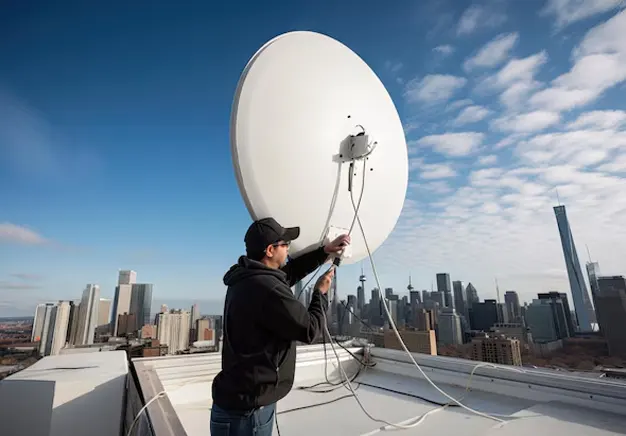
Satellite signal loss means the receiver cannot decode a stable signal from the dish. It occurs when signal strength or quality drops below the required level. Common symptoms include a no signal message, screen pixelation, and picture freezing. Channels may disappear or break during viewing. These issues often appear in bad weather or after dish movement.
Temporary problems occur due to heavy rain, storms, or loose cable connections. Signal returns once conditions improve or connections are secured. Hardware-related issues involve dish misalignment, damaged coaxial cables, or a faulty LNB. These faults require adjustment or replacement for a stable signal. This guide explains how to fix satellite signal loss using simple checks at home. It also identifies when a professional engineer is required for accurate diagnosis and repair.
What Causes Satellite Signal Loss?
Satellite signal loss occurs when the signal path between the dish and receiver is weakened or blocked. This reduces signal strength or quality below the working threshold.
- Heavy rain or storms (rain fade): Rain absorbs satellite signals, reducing strength. This issue is temporary and clears after weather improves.
- Dish misalignment: Wind or impact moves the dish away from the satellite angle. This causes a signal drop. This issue is permanent until realigned.
- LNB failure: A faulty LNB cannot convert signals correctly. This results in no signal or a weak signal. This issue is permanent and requires replacement.
- Cable damage: Broken or worn coaxial cables disrupt signal flow. This causes intermittent or total signal loss. This issue is permanent until repaired.
- Obstructions (trees or buildings): Objects block the line of sight between the dish and the satellite. This weakens or stops the signal. This issue is permanent unless cleared.
- Receiver faults: A faulty receiver fails to process signals correctly. This leads to no signal display. This issue is permanent if the hardware is defective.
Common Satellite TV Problems
Satellite TV problems appear in different signal-related forms. Signal loss shows as no signal message, picture pixelation, or screen freezing. Some channels may disappear while others continue working. Audio may drop or become out of sync with the picture. These symptoms indicate changes in signal strength or quality at the receiver.
Identifying the exact symptom helps diagnose the root cause accurately. Pixelation often links to a weak signal or weather interference. Complete signal loss indicates dish misalignment, cable fault, or LNB failure. Intermittent issues suggest loose connections or minor obstructions. Clear symptom identification allows faster troubleshooting and correct repair action.
No Signal or Signal Loss
No signal appears when the receiver cannot detect any satellite input. Common symptoms include a “No Signal” message, 0% signal strength, and missing channels. This issue occurs suddenly or after weather changes.
Likely causes include dish movement, loose cables, LNB failure, or receiver glitches. Wind can shift the dish position. Loose or damaged cables interrupt signal flow. A faulty LNB fails to deliver a signal to the receiver.
Fix the issue using basic checks. Restart the receiver to clear temporary faults. Check all cable connections and tighten them. Inspect the dish visually for movement or obstruction. Use the receiver signal menu to confirm strength and quality levels. Wait if heavy rain is present. Rain fade reduces signal strength temporarily and clears once the weather improves.
Pixelation & Freezing Picture
Pixelation and freezing occur when the signal is weak or borderline. Even if signal strength appears adequate, poor signal quality can cause scrambled images or intermittent freezing. Maintaining good signal quality is more important than just raw strength for clear, stable channels.
To fix these issues, start with basic checks. Ensure the dish is properly aligned with the satellite. Check connectors for secure attachment and no corrosion. Inspect the coaxial cable for wear or damage. If problems persist, consider LNB ageing, as older units may fail to deliver consistent signal quality.
Damaged or Misaligned Satellite Dishes
Satellite dishes can lose alignment or become damaged due to wind, loose brackets, or corrosion. Even minor movement from strong gusts can significantly reduce signal quality. Rust or weakened mounts allow the dish to shift over time, causing partial or total signal loss.
A visual inspection helps identify problems. Check the dish for tilted or uneven positioning, loose screws on the bracket, and signs of rust or wear. Misalignment often shows as repeated signal drop or certain channels not appearing. Because satellite signals are very directional, even small movements can cause major signal loss, making precise alignment critical for stable reception.
Faulty LNB Replacement
The LNB (Low-Noise Block) converts satellite signals to a usable frequency for the receiver. Signs of LNB failure include no signal, weak or fluctuating signal, and pixelation. LNBs typically last 5–10 years, but water ingress or corrosion can shorten their lifespan. Symptoms of water damage include rust, moisture inside the LNB casing, or intermittent signal loss.
Replacement is required when the LNB cannot deliver a stable signal. Due to roof access and precise alignment needs, LNB replacement is not usually a DIY task unless the installer is experienced. A professional can safely remove the old LNB and install a new one for reliable satellite reception.
Cable & Connector Issues
Cables and F-connectors carry the satellite signal from the dish to the receiver, making them critical for stable reception. Moisture or corrosion on connectors weakens the signal, while cheap or aging cables degrade faster and cause intermittent loss. Even small faults can lead to pixelation, freezing, or no signal.
Check cable tightness and condition regularly. Ensure F-connectors are securely attached with no visible rust or bending. Replace cables if they show cracks, wear, or consistent signal problems despite proper dish alignment and LNB function. Proper quality cables prevent recurring signal issues and extend system reliability.
Satellite Dish Realignment
Precise dish alignment is essential for a stable satellite signal. Alignment adjusts the dish’s angle to point directly at the satellite, maximising signal reception. The two main settings are azimuth (horizontal rotation) and elevation (vertical tilt). Small changes in either can significantly affect signal quality.
Signal meters are used to measure strength and quality during adjustment. They ensure the dish is accurately aimed before tightening brackets. DIY realignment carries risks, including roof falls, equipment damage, and further signal loss. Professionals are recommended for safe and accurate realignment to avoid recurring satellite issues.
LNB & Component Replacement
LNB replacement is necessary when the unit fails to deliver a stable signal. Signs include no signal, intermittent loss, or consistent pixelation. In systems with a multiswitch, faults in the multiswitch can also cause signal issues across multiple receivers. Receiver problems, such as hardware glitches or outdated firmware, may mimic LNB faults and require inspection.
Upgrading older satellite systems can improve reliability and quality. Replacing aged LNBs, cables, or receivers ensures better signal handling and compatibility with modern channels. Professional assessment is recommended to identify which component requires replacement and to perform safe installation.
Residential & Commercial Satellite Repairs
Many homeowners attempt DIY satellite repairs, but some issues require professional tools and expertise. Roof access, precise dish alignment, and use of signal meters make certain repairs unsafe or inaccurate for untrained individuals. Safety is critical, as incorrect handling can lead to falls or equipment damage.
Professional repair services are ideal for both residential and commercial setups. Residential repairs focus on single-dish alignment, cable checks, and LNB replacement. Commercial systems, such as SMATV or multiswitch setups, require specialised equipment and experience to maintain multiple receivers and shared connections reliably. Professionals ensure efficient, safe, and long-lasting solutions.
Home Satellite Repairs
Homeowners can handle minor checks, but DIY is not suitable for serious faults. Issues like persistent no signal, damaged LNBs, or misaligned dishes require precision and safety measures. Attempting these repairs without experience can worsen problems or cause injury.
Professional repair is the next logical step for reliable results. Certified engineers use specialised tools to realign dishes, replace LNBs, and fix cable or receiver issues efficiently. For expert assistance, visit our residential satellite services to schedule a safe and effective home satellite repair.
Commercial Satellite Repairs
Commercial satellite systems are more complex than home setups. They often involve multiswitches, multiple receivers, and shared connections across buildings. Even minor misalignment or component failure can disrupt service for many users.
Professional intervention is essential for safe and effective repair. Trained engineers have the tools and experience to manage large-scale systems, ensuring accurate alignment and minimal downtime. For specialised support, explore our commercial satellite services for expert solutions tailored to business.
Frequently Asked Questions
Why does my satellite TV keep saying “No Signal”?
Your satellite TV shows “No Signal” when it cannot receive a stable signal. Common causes: dish misalignment, loose or damaged cables, faulty LNB, receiver glitches, or heavy rain.
Can heavy rain cause satellite signal loss?
Yes, heavy rain can cause satellite signal loss, a phenomenon called rain fade. Water absorbs and scatters the satellite signal, weakening reception. This usually temporarily reduces signal strength, causing pixelation, freezing, or a “No Signal” message, and clears once the weather improves.
How do I check if my satellite dish has moved?
Check if your satellite dish has moved by inspecting for tilt, loose brackets, and signal drops.
Why is my satellite picture pixelating or freezing?
Pixelation or freezing happens when the satellite signal is weak or borderline. Poor signal quality, even with good strength, causes scrambled images or intermittent freezing.